Every card you hold, working on every purchase.
CardSignals knows the Canadian and US cards in your wallet. It ranks them for every kind of spending, and keeps track of the credits, bonuses and issuer rules that come with them.
- The best card for groceries, dining, gas, travel and more
- Statement credits, with a reminder before each one lapses
- A month-by-month plan to land every welcome bonus
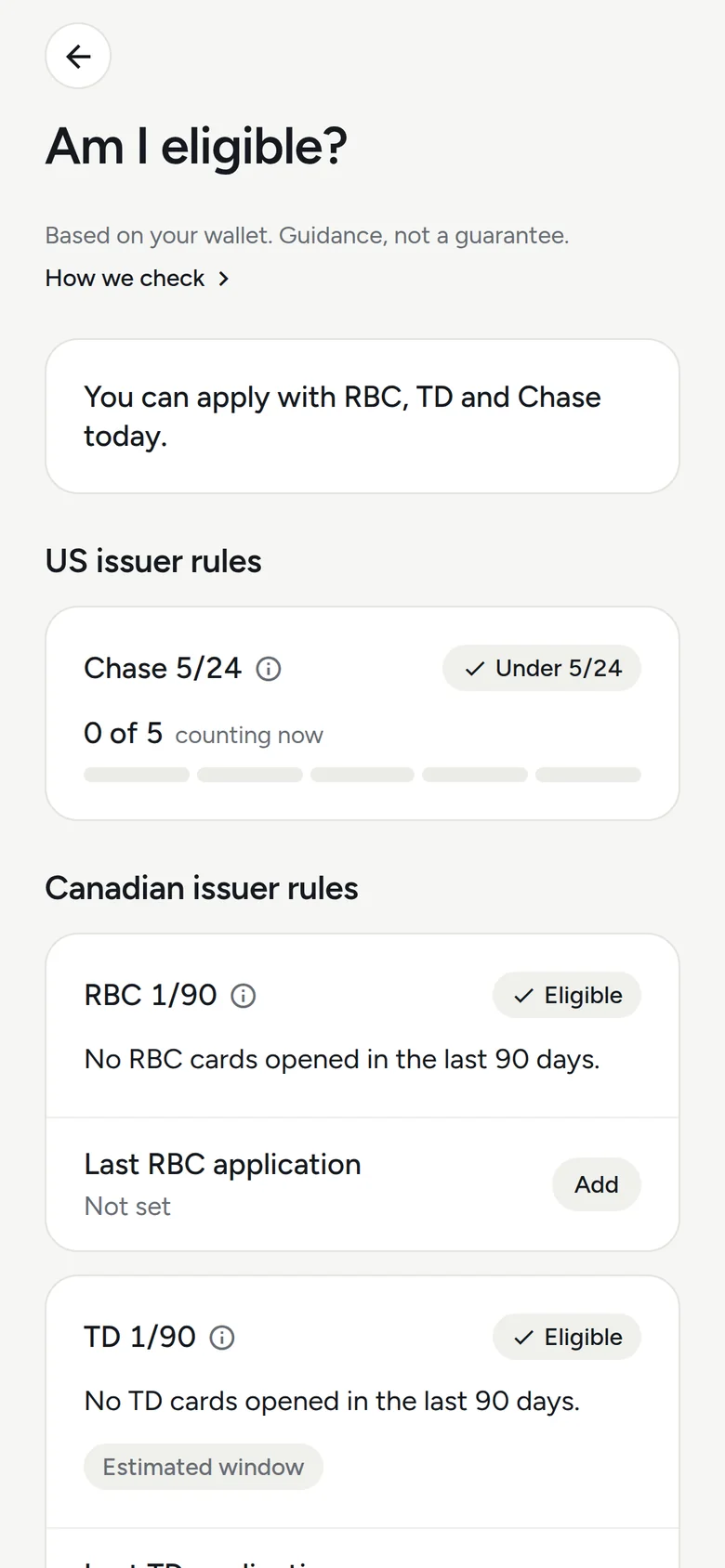
- RBC, TD, Amex and Chase 5/24 rules, checked against your wallet
Also coming to Android
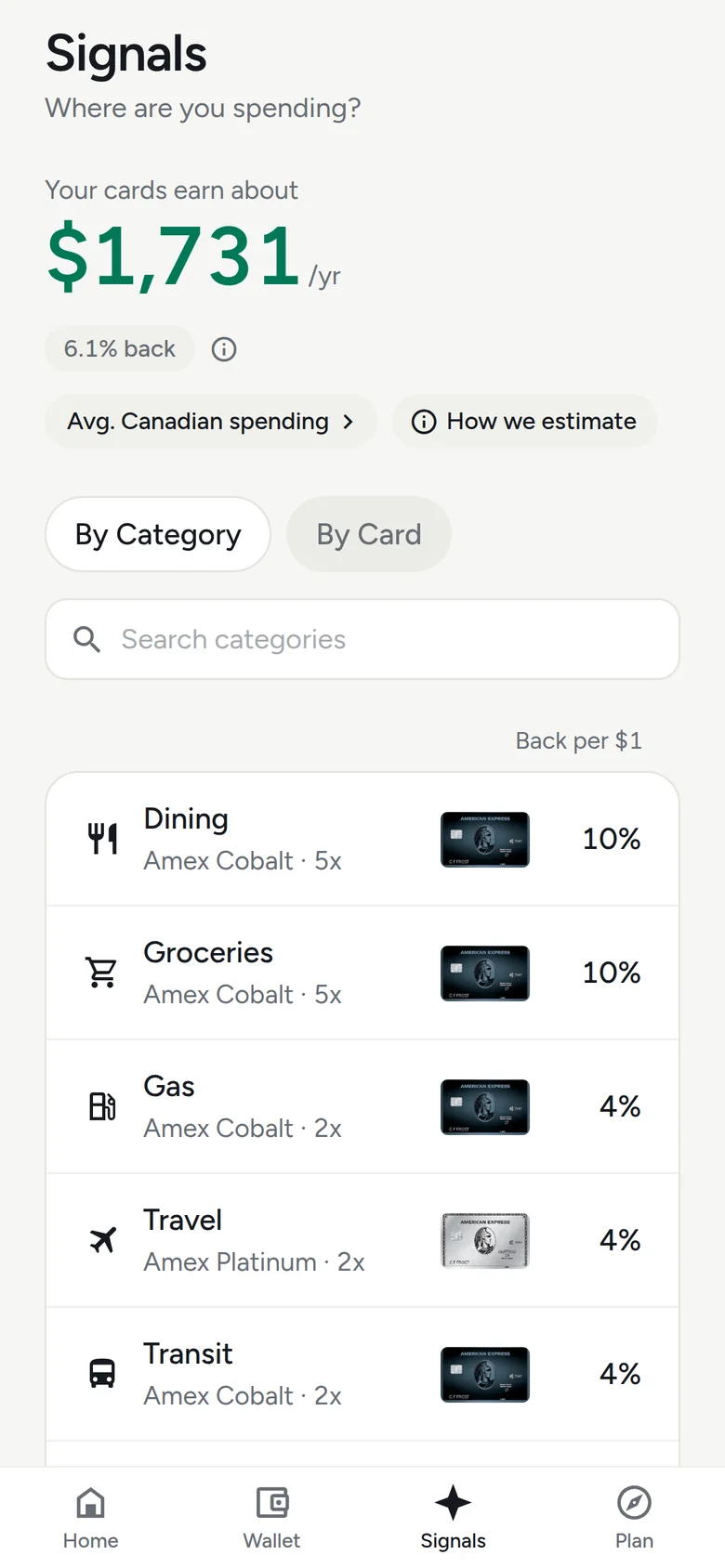
The best card, for every kind of spending.
Signals ranks every card you hold for dining, groceries, gas, travel, transit and more, using each card's real earn rates and caps. You see the winner and the percentage back, not just a points multiplier.
Points are valued conservatively, so a card never wins on an optimistic redemption you might not make.
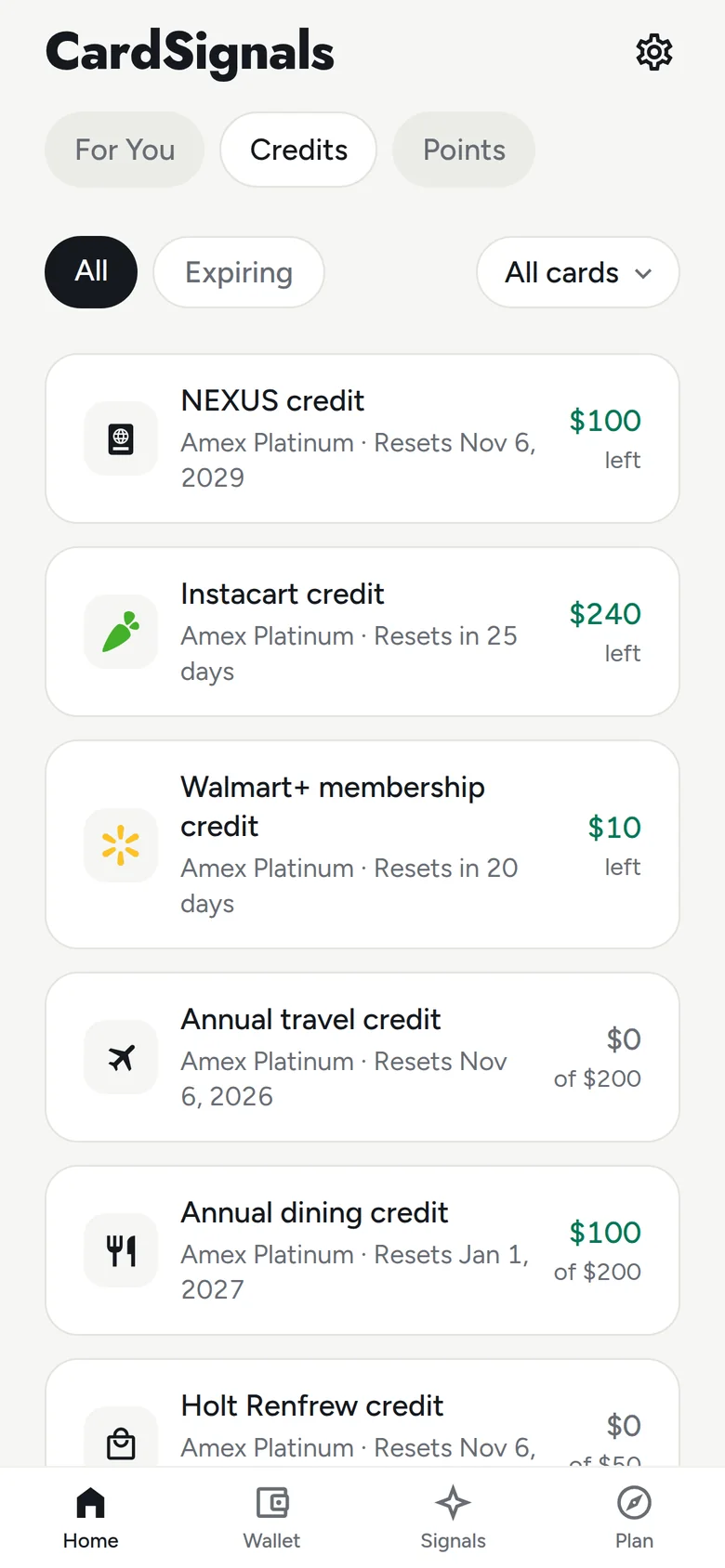
Credits you would otherwise forget.
Every statement credit on your cards, with the amount left and the date it resets. Mark one used in a tap, and get a reminder by push or email before it lapses.
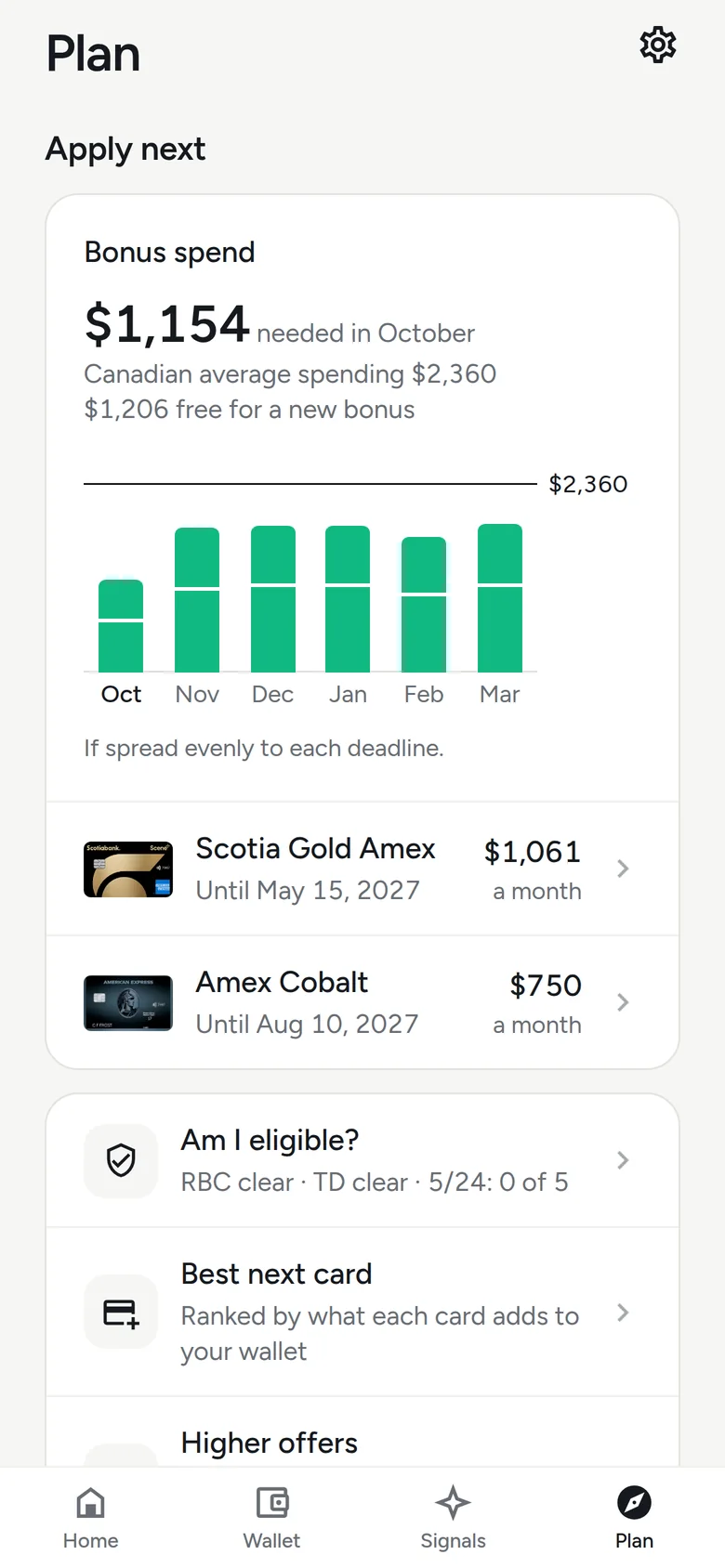
Every welcome bonus, on pace.
Add the minimum spend and deadline once. Plan shows what to put on each card every month to land every bonus in time, set against what a typical Canadian spends.
Know before you apply.
RBC and TD's one card per 90 days, Amex's once-in-a-lifetime bonus rule and Chase 5/24, checked against the cards you hold and the ones you closed. It is guidance based on your wallet, not a guarantee, so confirm with the issuer before you apply.
Your answers, right on the Home Screen.
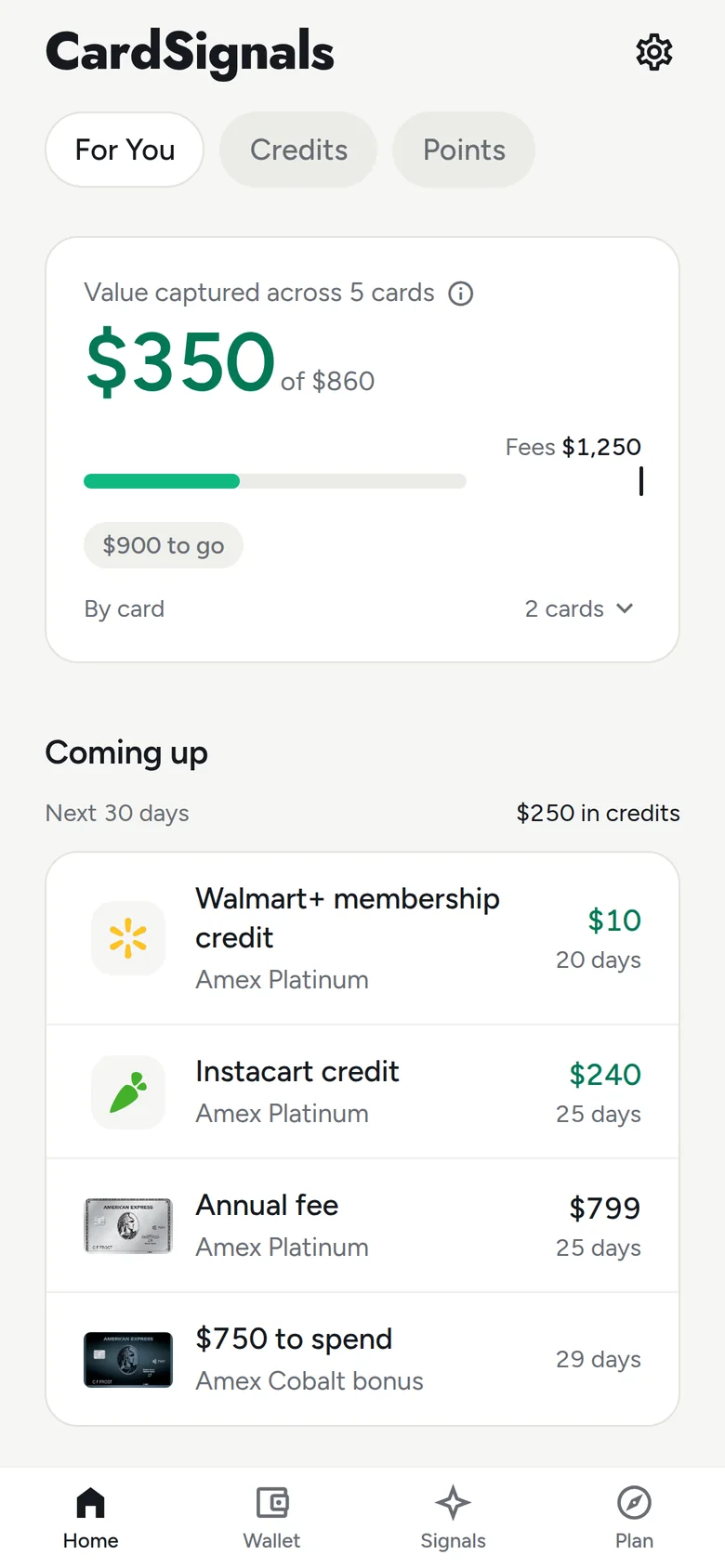
Four widgets, each in several sizes. Best card shows the winner for a kind of spending you pick. Which card here finds the store you are in. Coming up lists credits, bonus deadlines and fees with the days left. Points shows what your balances are worth (Pro).
Which card here? One press away.
CardSignals finds the store you are in and tells you the card to use there, including stores that only take some networks. It works from a Lock Screen widget, a Control Center button or the Action button.
Just ask.
Ask Siri which card to use here, at a store, or for a kind of spending. Ask what is coming up, or what your points are worth. The answer comes from your own wallet.
Try "CardSignals here", "Best card for Loblaws in CardSignals" or "What's coming up in CardSignals".
CardSignalsLooks like you’re at Loblaws: 10% back with Amex Cobalt. 5x on groceries.
CardSignalsComing up: $10 Walmart+ credit, Amex Platinum, in 5 days. $240 Instacart credit, Amex Platinum, in 25 days. You have $250 in credits to use.
And on your wrist.
The best card for each kind of spending, which card to use at the store you are in, and what is coming up, on Apple Watch, plus a complication for your watch face.
Screens from the CardSignals app, showing a demo wallet. Widget, Siri and Apple Watch pictures are drawn from the app's own layouts with the same demo wallet.